


Turning Sketches into Photographic Art with Leonardo AI
Artificial intelligence now extends its prowess to the art world, with the remarkable capability to transform basic sketches into either fully-fledged paintings or photorealistic images. This innovative feature is a highlight of Leonardo AI's toolkit.
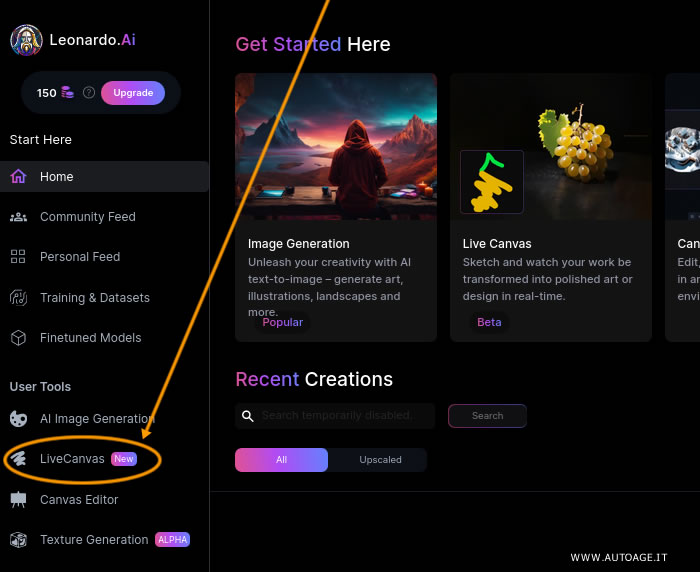
The feature, aptly named Live Canvas, is conveniently located in the User Tools section on the left sidebar.
Live Canvas empowers users to bring their visions to life. Utilizing a digital brush, one can sketch in the designated left box, labeled "Start drawing here". Whether it's a serene landscape with the sun setting behind mountains, a meadow, or a meandering river, the right-hand output box instantaneously renders a stylized interpretation of the sketch.
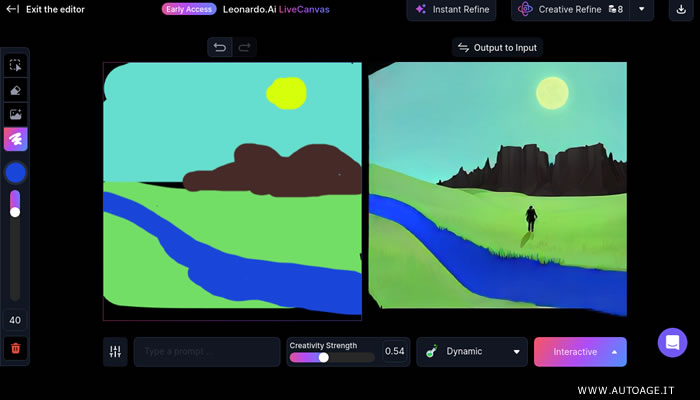
Beneath this canvas lies an array of features to fine-tune the resultant image, enhancing both creativity and control.
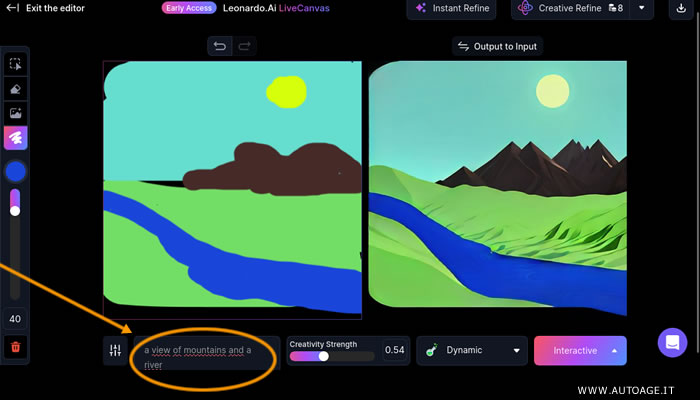
In the descriptive text field, users can articulate the details of their envisioned scene, aiding the AI in capturing the essence of the intended artwork. This could be as vivid as a landscape peppered with mountains and a winding river.
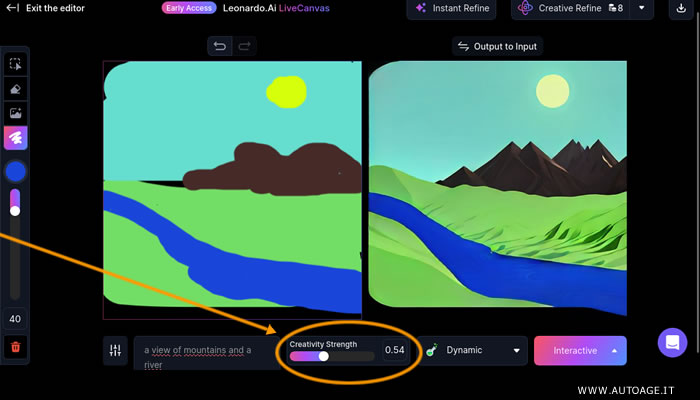
The Creativity Strength slider is a crucial element, determining the level of AI innovation in the artwork. A lower setting results in the AI producing an image closely resembling the original sketch, while a higher setting grants the AI more freedom to reinterpret and creatively enhance the sketch, potentially leading to surprising and unique outcomes.
- A low setting yields an image faithful to the original sketch.
- A high setting allows the AI to exercise more creative freedom, often resulting in a piece that diverges significantly from the initial sketch and input.
An intriguing aspect of Live Canvas is the option to select a specific AI model. The default Dynamic model automatically selects the most suitable model based on the sketch. However, users have the liberty to pre-select from a variety of models, including Anime, Painting, Photography, and more, tailoring the artistic output to their preferences.
For example, increasing the AI's autonomy from 0.54 to 0.64 and selecting the "Photography" model results in a more refined and lifelike image.
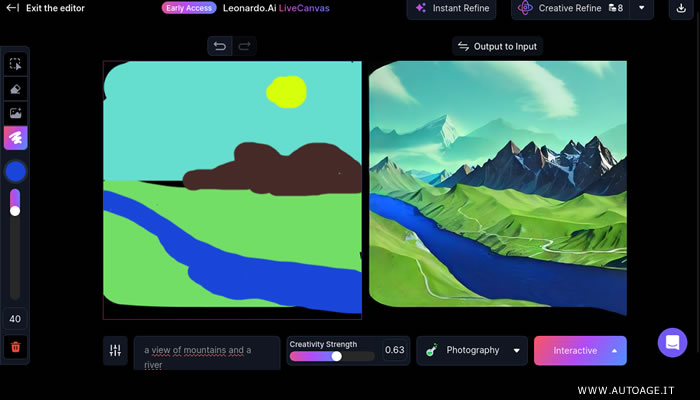
Adjusting the Creativity Strength to 0.63 introduces more intricate details by the AI, offering a more defined image. However, it's noteworthy that certain elements of the original sketch, such as the sun in this example, may be reimagined or omitted.
The AI dynamically updates the final image on the right as modifications are applied to the sketch. Once the desired level of detail and artistic interpretation is achieved, users can effortlessly download the final artwork to their computer.


