
Exploring ChatGPT's "Quote" Feature
With the advent of ChatGPT-4, OpenAI has unveiled a suite of enhancements aimed at refining the user experience with its AI model. Among these is the "Quote" feature, which enables users to select and quote text directly within a conversation, streamlining the process of initiating follow-up queries. This feature was introduced subtly and remains under the radar for many users. It proves invaluable when seeking clarification on specific points or when wishing to maintain the thread of discussion without losing context.
Utilizing the "Quote" Function
The "Quote" function is intuitive and straightforward to use. We explored this on the web version of ChatGPT-4. Let's say you start a chat on any topic—perhaps querying ChatGPT about the definition of an LLM.
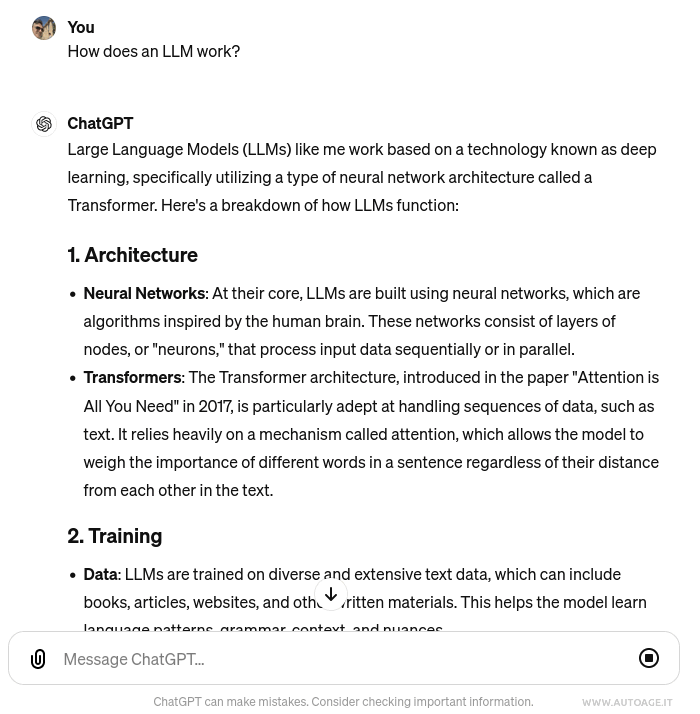
To select text: Simply highlight the desired text during the dialogue by dragging your cursor over it. Upon doing so, a quote icon will appear. This icon serves as a shortcut, allowing you to quote without retyping.
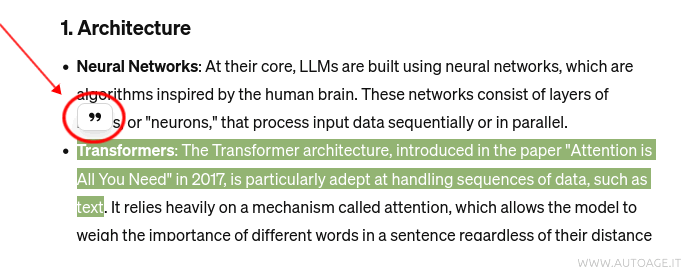
Click on the quote icon. Once you click, the selected text is automatically inserted as a quote in the new input box, setting the stage for your next question or comment related to that excerpt.

ChatGPT responds to your new query, focusing on the highlighted text. This focused approach minimizes misunderstandings and ensures the response is relevant to your specific inquiry. It also keeps the discussion concise and on-topic, particularly beneficial in extensive or technical dialogues. Hence, leveraging this function can significantly enhance your conversational experience, allowing for deeper exploration of topics or clarification of discussed points.

In sum, ChatGPT-4's "Quote" function is a formidable tool that significantly betters interaction with the AI model. This guide is designed to help you harness this functionality effectively, enriching your engagement with ChatGPT. It's a feature still gaining recognition among users, offering profound benefits for those who utilize it.


